Is there hidden risk in your COI review process?
Returning myCOI user?
Pick the platform your team works in to see exactly how illumend fits.
Most COI tools just say “integrates with.” Here’s exactly what moves between illumend and each system.




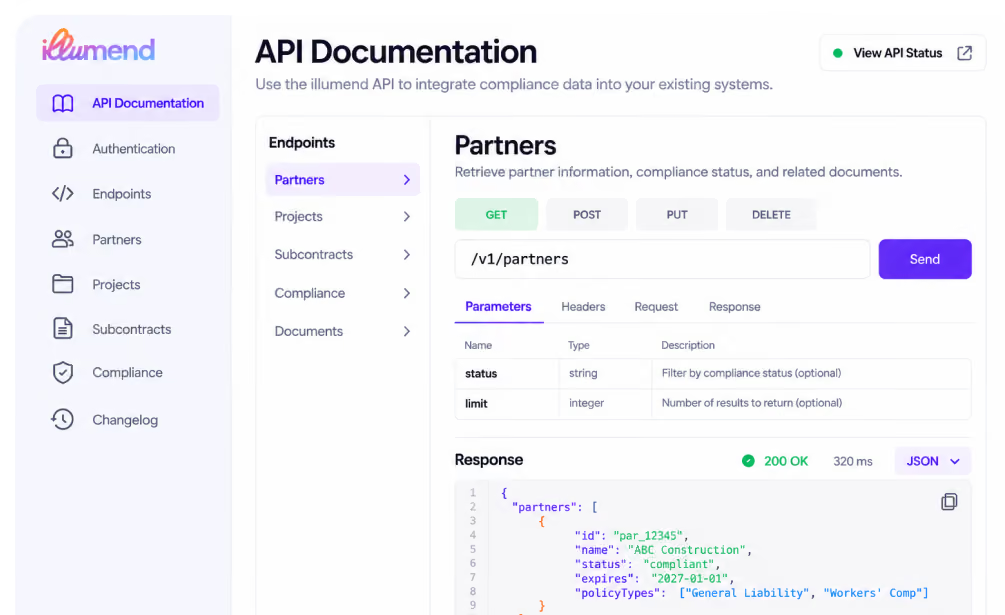
Running a system we don’t connect to yet? Your developers can build the connection with our API, using our documentation, integration guides and data schema references.

Create assignments and projects, and keep expiration dates up to date
Pull compliance status into your accounting, ERP or project management system
Trigger actions from compliance status, like confirming a partner is covered before you release a payment
Pull businesses, contacts, policies and assignments to build your own reports and dashboards

Tell us what your team runs on. We use these requests to decide what we connect to next, and we’ll follow up with you directly.
illumend integrates with Procore, Viewpoint Vista, Yardi Voyager and CMiC. Partners and project records come in from each system, and compliance information goes back to the system your team already works in. Running something else? Your developers can connect it with the illumend API.
Ask three things: what comes in, what goes back, and how often. A good integration brings your partners and projects in so nobody re-keys them, and puts compliance back where your team approves work and releases payment. It should also check the certificate and its endorsements, not just an expiration date. The table above shows exactly what moves for each system.
No. Your team keeps working in Procore, Vista, Yardi or CMiC the way it does today. New records still start in your system as usual, and illumend writes compliance into the records you already use.
We do, with your team. For Procore and CMiC, we set up the connection with you. For Yardi, you open a case in Yardi Client Central for the Vendor Add-On package and we handle the configuration from there. For Vista, the connection runs through Trimble AppXchange. Each system’s page has the details.
No. An integration is a connection we’ve built, like Procore, Vista, Yardi or CMiC. The API is for systems we don’t connect to yet: your developers use our documentation to build the connection themselves. For more complex projects, a member of our integrations team can help. The API is available to customers on an annual plan.
illumend tells you whether a partner is covered, and your team decides whether to hold the payment. Compliance information sits in the system your accounting team already uses, so they can check coverage before a payment goes out. illumend supplies the answer. Holding the payment is ultimately your team’s call.
.avif)