ILLUMEND + CMIC INTEGRATION

Keep every subcontractor’s COI current, inside CMiC.

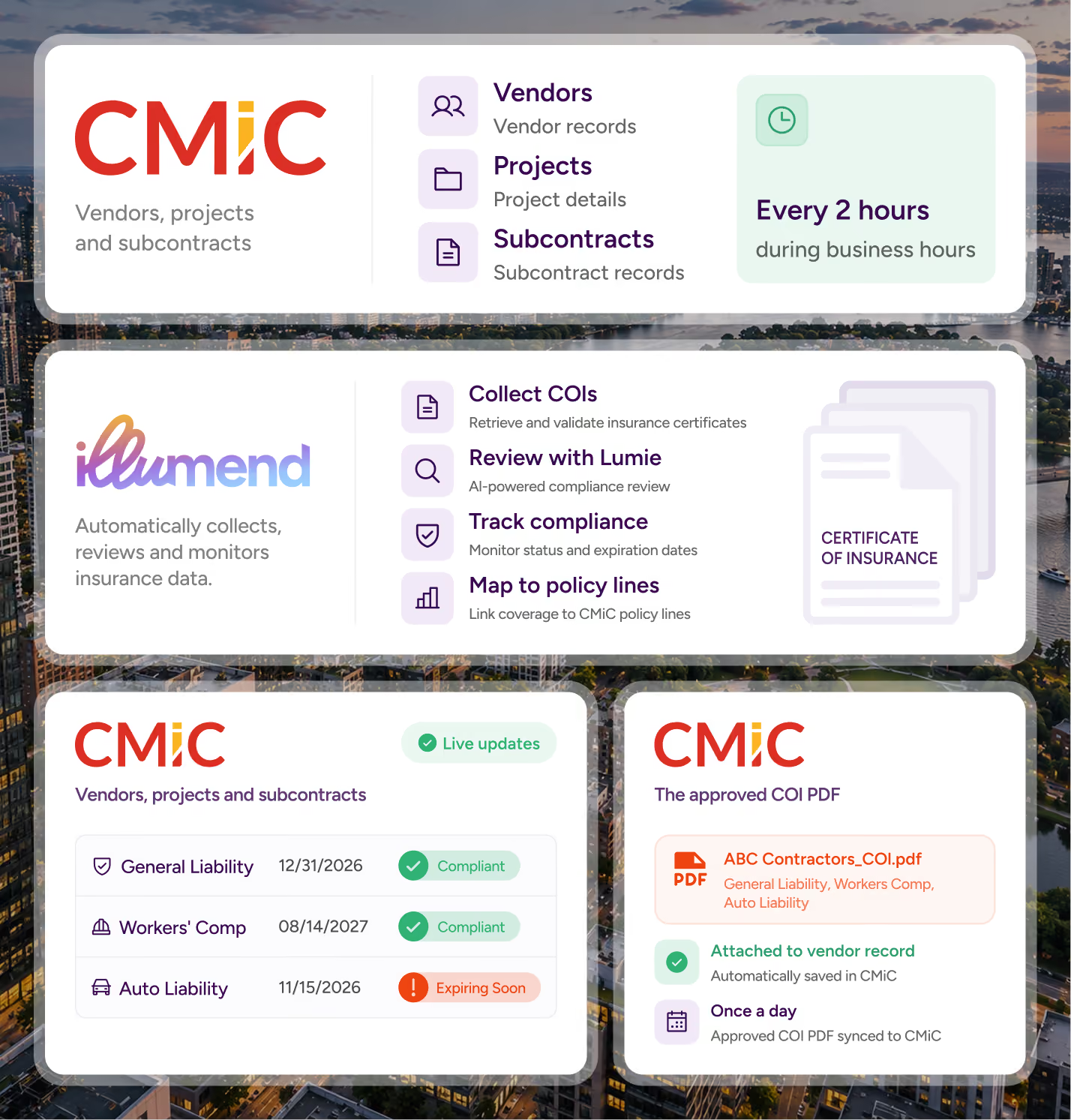
illumend picks up your CMiC vendors, projects and subcontracts, collects and reviews every certificate, then writes compliance back to CMiC per policy line. Your project managers see who’s covered without ever leaving CMiC.
Built by the team that’s reviewed 45M+ insurance documents over 16 years
See it work

How the illumend CMiC integration works

A new subcontract gets awarded in CMiC. illumend picks it up, chases the certificate, and sends the answer back to CMiC. Nobody re-keys a thing.

Without the integration
With the integration
Someone re-enters every CMiC vendor in your COI tool
Vendors, projects and subcontracts flow into illumend on their own
CMiC has no idea a sub just went non-compliant
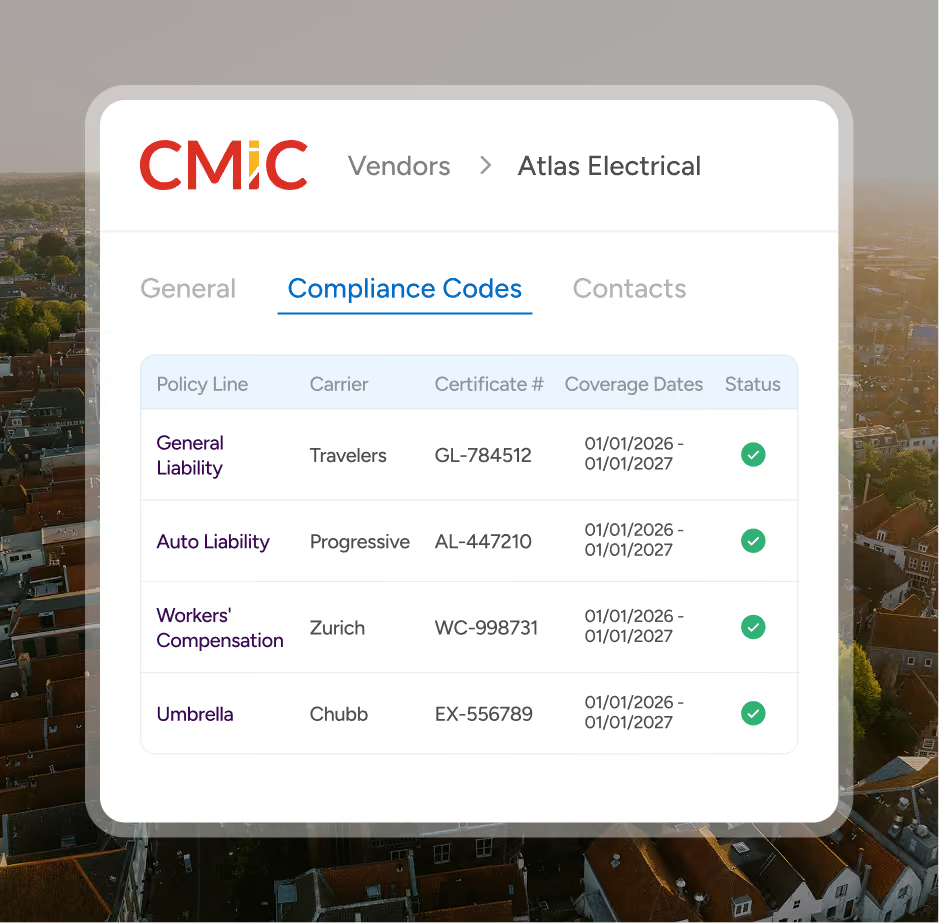
CMiC shows compliance status per policy line, with coverage amount and notes
Someone has to remember to update CMiC after a renewal
illumend updates CMiC for you
PMs leave CMiC to check whether a sub is covered
Compliance sits right inside CMiC
The certificate only lives in your COI tool
The COI PDF is attached to the CMiC record every day
THE BENEFITS

What illumend adds to CMiC

1
No duplicate data entry
illumend pulls vendors, projects and subcontracts straight from CMiC and sets up COI tracking for you. New subcontracts wait in a review list so your team decides how each one is set up.
2
Compliance detail lives in CMiC
illumend fills CMiC’s own compliance codes: carrier, certificate number, coverage dates, coverage amount, status and notes. That’s per policy line, not a single
yes/no flag.
3
Subcontract-level compliance
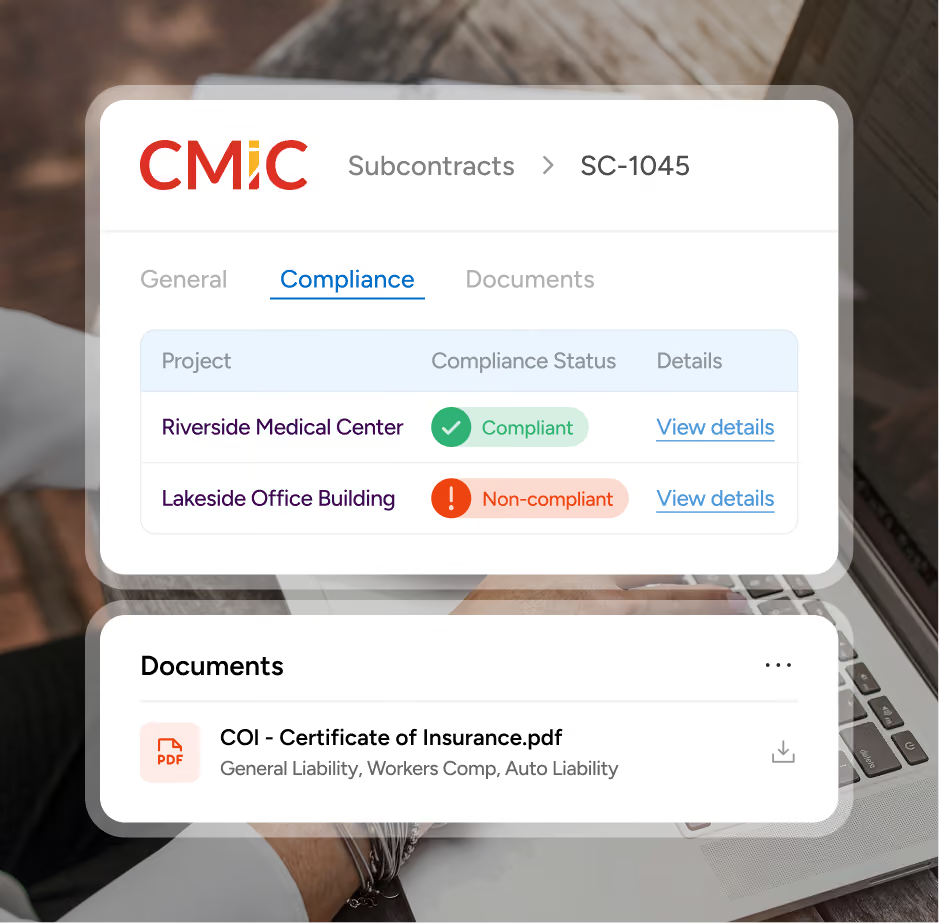
A sub can be covered on one job and short on another. CMiC shows that difference, because illumend writes compliance at the subcontract level too.
THE PROCESS

How illumend connects to CMiC

1
Your CMiC records flow into illumend
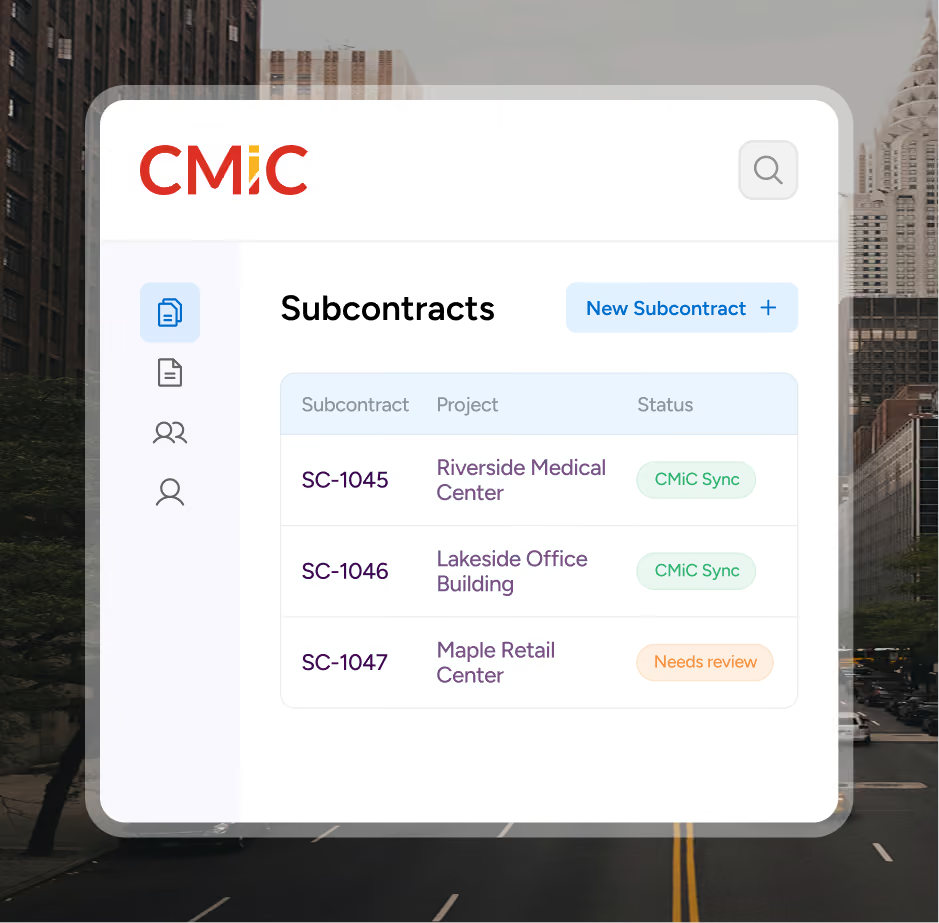
Every 2 hours during business hours, illumend pulls new vendors, projects and subcontracts. Each one is tagged “Synced with CMiC” so there are no duplicates.
2
Your team places each new subcontract
New subcontracts land in a review list. Link one to an existing agreement or set it up from your insurance requirement template in a couple of clicks.
3
Lumie reviews the certificate and its endorsements
Lumie reads each COI against the requirements for that project, then flags what’s missing or expiring.
4
Compliance flows back into CMiC
When compliance changes, illumend updates CMiC’s compliance codes for the vendor and the subcontract. The approved COI PDF follows once a day.
BUILT ON EXPERIENCE

Built by a team that’s been doing COI compliance for 16 years

16 years
defining COI compliance
45M+
insurance documents reviewed by our team
750K+
third-party partners cleared
2M+
coverage gaps flagged before claims

CMiC is built for construction. illumend is built for compliance. The integration lets each one do what it’s best at, and your team stops doing the work twice.

GETTING STARTED

What you need to connect illumend and CMiC

A CMiC account with API access. You’ll share your CMiC API credentials with us, and we store them encrypted in a dedicated secrets vault.

Your CMiC compliance codes. Every CMiC customer sets up its own codes. We map each illumend policy line to yours during onboarding, once.

illumend for insurance compliance. We set up the connection, test it with you, and only then go live.

Ready to connect?

Request a demo and we’ll show you the integration inside a real CMiC workflow, then get your team connected.

Request a CMiC Demo
WHY IT’S DIFFERENT

Why illumend instead of CMiC alone

CMiC records compliance. It doesn’t collect certificates, read endorsements or chase a sub whose policy is about to lapse. illumend does that work and puts the answer back in CMiC.

Frequently asked questions.

Which COI tracking software integrates with CMiC?

illumend does. It pulls your vendors, projects and subcontracts from CMiC, reviews every certificate and its endorsements, then writes compliance back to CMiC per policy line, for both the vendor and the subcontract.

Does CMiC track certificates of insurance?

CMiC gives you somewhere to record compliance. Its compliance codes have room for the carrier, certificate number, coverage dates, coverage amount, status and notes. What CMiC doesn’t do is collect certificates, read the endorsements, or chase a sub whose policy is about to lapse. That review is the work illumend does, and the result lands back in CMiC.

What data syncs between CMiC and illumend?

From CMiC to illumend: new vendors, projects and subcontracts. From illumend to CMiC: compliance per policy line in your own compliance codes, including carrier, certificate number, coverage dates, coverage amount, status and notes, for both the vendor and the subcontract. The approved COI PDF is attached to the CMiC record once a day.

Is the CMiC integration two-way, and how often does it sync?

Yes, it runs both ways. illumend pulls new vendors, projects and subcontracts from CMiC every 2 hours during business hours, and updates CMiC’s compliance codes when a sub’s compliance changes. The approved COI PDF follows once a day.

Can CMiC show a sub as compliant on one job and not another?

Yes. illumend writes compliance at the subcontract level as well as the vendor level, so CMiC shows when a sub is covered on one job and short on another.

What do I need to connect illumend to CMiC?

A CMiC account with API access, and your CMiC compliance codes. You share your API credentials, which we store encrypted in a dedicated secrets vault. We map each illumend policy line to your codes during onboarding, then test the connection with you before going live.

READY TO CONNECT

See the illumend CMiC integration in action.

Request a demo and we’ll walk you through the integration using your own CMiC setup.
Vendors in. Compliance out. CMiC always current.